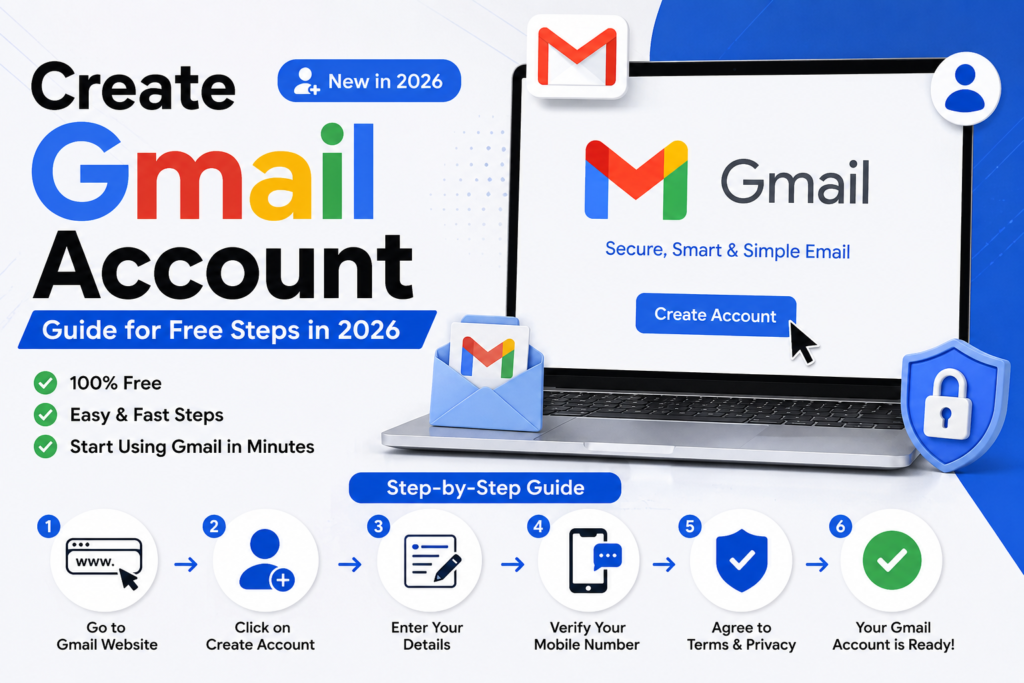
Today i will toke you about create Gmail account for free. Now the world is Gmail account is your email address. That give you permission to access Google services like Google Drive, YouTube, Google Photos, Google Meet, Google Maps and the Google Play Store. Whether you’re applying for a job sign up for services or staying in touch with your friends and family having a Gmail account.
Thank you for reading this post, don't forget to subscribe!The good news is that creating a Gmail account is completely free and only takes a minutes. In this guide you’ll learn how to create a Gmail account on both a computer and a smartphone along with tips to keep your account secure.
What Is Gmail?
Gmail is Googles free email service that was allow users send and receive emails from any where in the world. It offer a interface security features, spam protection and cloud storage through Google Drive in you devices.
Millions peoples use Gmail every day because it reliable easy to use and works in all devices.
Why Do You need a Gmail Account?
A Gmail account gives you access to Google services including:
- Google Drive for cloud storage
- YouTube for watching and uploading videos
- Google Meet for meetings
- Google Photos for backing up images
- Google Docs, Google Sheets and Google Slides
- Google Play Store in Android devices
- Google Maps for navigation
With one account you can use all of these services without creating logins.
Requirements to creating a Gmail Account
That you have begin make sure:
- phone, tablet or PC
- A stable internet connection
- A mobile phone number (recommended for verification)
- Your first and last name
- Your date of birth
How to create gmail account in PC
Following these steps:
1. Open Your Browser
Open web browser and create your account browser like Google chrome microsoft Edge, Firefox or Safari.
2. Visit the Gmail Sign Up Page to create account
Go to the Gmail account creation page.
3. Click “Create Account”
Choose whether the account is for:
- Personal use
- Your child
- Work or business
Also most users should select For my use.
4. to Enter Your Personal Information
Fill in:
- First Name
- Last Name
Click Next
5. to enter your Birthday date and Gender
Provide information because it helps secure your Google account.
6. to Choose Your Gmail Address
Create an email address such as:
- [johnsmith2026@gmail.com](mailto:johnsmith2026@gmail.com)
- [emily.green@gmail.com](mailto:emily.green@gmail.com)
If your preferred name is already taken Google will suggest alternatives.
7. to Create the strong password
Use this password that included:
- letters
- Lowercase letters
- Numbers
- Special characters
Example:
**Mypassword@2026**
Avoid using like these passwords “12345678.”
8. to add your Phone number
Although optional in some regions adding a phone number helping recover your account if you are forget your password.
9. to review Your Google Privacy Policy
Read the terms and conditions and Click I Agree button
Congratulations! Your Gmail account is now available to use.
How to create a Gmail Account in Android
Creating a Gmail account in Android phone simply follow these step.
1. Open **Settings**.
2. Tap **Accounts**.
3. Select **Add Account**.
4. Choose **Google**.
5. Tap **Create Account**.
6. Enter your details.
7. Verify your phone number if requested.
8. Accept Googles Terms of Service.
Your Gmail account will automatically sync in your Android device.
How to Create a Gmail Account in iPhone
iPhone users can also. Use Gmail easily.
- Install the Gmail app from the App Store.
- Open the app
- Tap the Create Account
- Follow the on screen instructions in mobile
- Sign in once your account is created
You can add a Gmail to the built a Apple Mail app.
Tips to creating a secure Gmail Account
protect your account following these steps
Good practices:
- Use an strong password.
- Check your Two Steps Verification feature is enabled.
- Don’t share your password to anyone.
- Keep your recovery phone number is updated.
- Add a recovery email address.
- Avoid signing in on devices.
These steps help prevent access to your account.
Common Problems During Gmail Account Creation
Username Already Taken
Try adding numbers or your initials to create an email address.
Phone Verification Not Working
Check your network. Make sure you’re centered the correct phone number.
Weak Password Error
Create a password using these combination of letters, numbers and symbols.
To Receive Verification Code
Wait a few minutes. Request a new verification code.
Benefits of Using Gmail
are some of the biggest advantages of Gmail:
- Free to use
- Excellent spam protection
- Large storage capacity
- Fast email delivery
- Works on all devices
- Easy integration with Google services
Advanced security features
search to find emails quickly
These features make Gmail I one of the most trusted email service in world.
Final thought
Create a Gmail account is one of the most steps toward accessing the world. If you’re using it for communication, online learning, business or entertainment Gmail provides a reliable experience. By following these steps in this guide and enabling basic security features you can create a account in a few minutes and enjoy all the benefits of Googles features.